Give website visitors useful answers while the context is still fresh.
Beacon Website Chat uses approved knowledge and the visitor’s current page to answer questions, guide the conversation, and recognize when someone is ready to talk to your team.
✓Use the current page as context.
✓Answer from controlled Knowledge sources.
✓Show page-aware starter questions.
✓Offer human handoff when intent is clear.
✓Keep the conversation available for follow-up.
Make the website part of the sales and service workflow.
The chat experience can change with the page someone is viewing while still staying inside the boundaries you define.
Start in context
A visitor on an AI Agents page can see different starter prompts than someone reading about web design, contractors, or nonprofits.
Answer from approved knowledge
Beacon can use selected site content and manually maintained knowledge entries instead of improvising company-specific facts.
Recognize intent
When a visitor describes a concrete project or asks about getting started, the conversation can move toward a human handoff.
Capture the conversation
The visitor can provide contact information and send the conversation to your team with the context already attached.
Prioritize follow-up
Lead scoring can use conversation engagement and captured intent to help staff identify which requests deserve attention first.
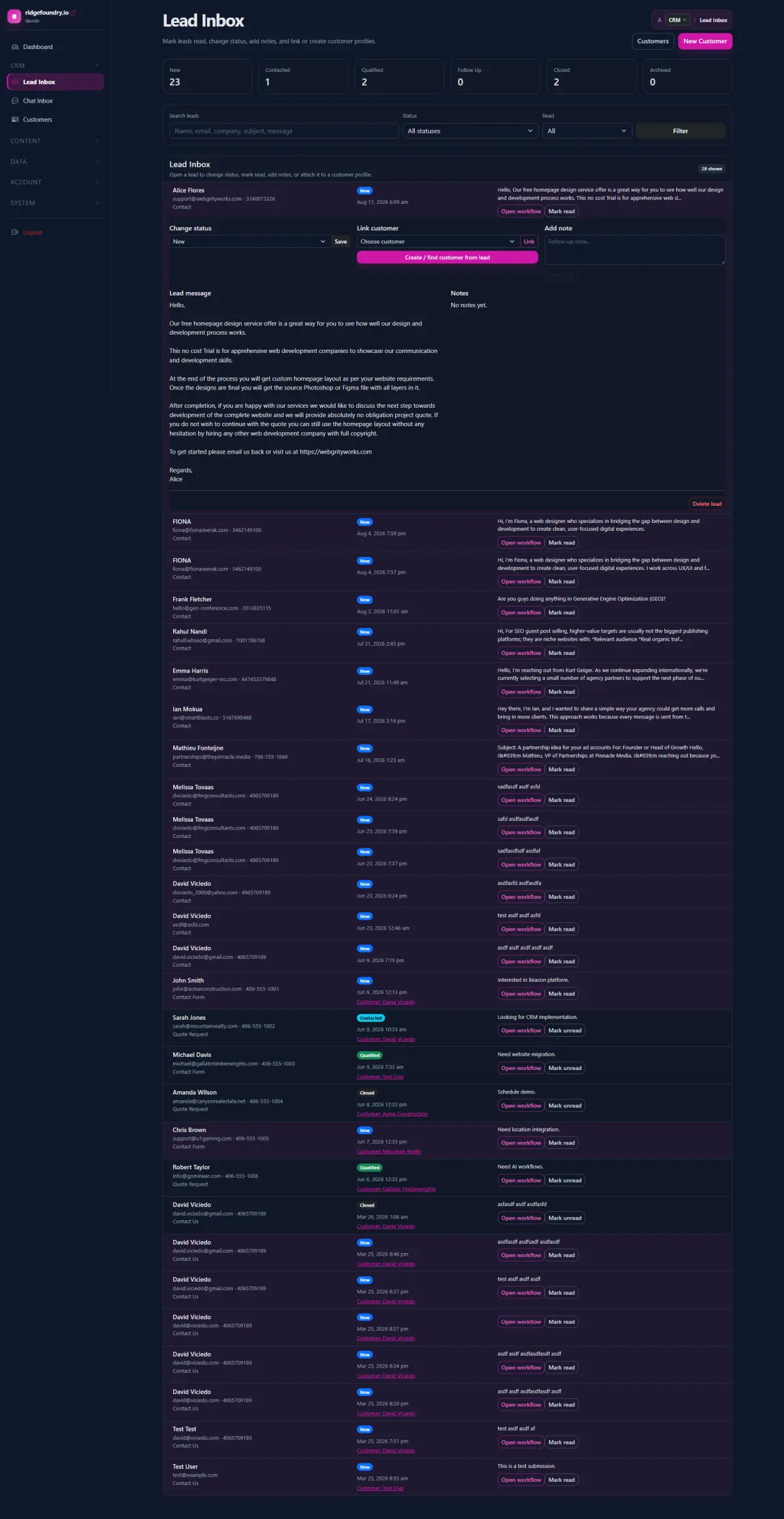
Review in Beacon
Website conversations and requests to talk are available in the Chat inbox instead of disappearing into a standalone widget.
Control what the assistant is allowed to say.
Beacon Chat includes guardrails for company-specific claims, unknown answers, project handoff, and pricing. Additional administrator instructions can further define how the assistant should behave.
Give the assistant useful business context without giving it permission to invent.
Administrators can enable knowledge sources and add manual knowledge entries for facts the assistant is allowed to use. Strict grounding can require business-specific claims to come from that Knowledge or the visitor’s current page.
Turn a question into a qualified handoff without forcing a form too early.
Visitor asks
They ask a real question from the page they are already viewing.
Beacon helps
The assistant answers from page context and approved knowledge.
Intent appears
The conversation reveals a project, need, or question that deserves a person.
Human follow up
The conversation and contact information reach your team with useful context attached.
The same chat foundation can support more than one kind of conversation.
Before the sale, Website Chat can answer questions and help identify project intent. As the knowledge and workflows expand, the same approach can support customer-service use cases where approved context and human escalation matter.
Sales Agents →
Use website conversations alongside research, qualification, and other sales signals.
Customer Service Agents →
Bring approved knowledge and customer context into service-oriented workflows.
What should your website be able to answer before someone contacts you?
We can define the knowledge, page context, guardrails, and handoff that make chat useful for your organization.